
How-to guides
Render Blender, CadQuery, and Manim films from source
Use Blender, CadQuery, or Manim; retain caches; share assets and calibrated cameras.
A native film keeps the engine's own source, a Blender scene, a CadQuery program, or a Manim scene, as the editable artifact. The slopcamera studio commands save that source as a fixed bundle, run it with the Blender, CadQuery, or Manim you installed, check every declared output, and pass the result to an ordinary video project.
Install a supported engine before running a job; SlopCamera does not silently install or upgrade native tools. The examples use Blender 5.2.1 LTS, CadQuery 2.8.0, and Manim Community 0.21.0 on macOS arm64; each source recipe records its qualified runtime. The studio commands ship in the verified release and run under Bun; a durable workflow that contains a native job needs the installed Bun package or a source checkout, since a copied standalone executable has no host source tree. For a bounded end-to-end pass, start with Render your first native film.
Know the trust boundary
studio run executes retained Python as your current user through a closed Blender, Manim, or CadQuery adapter. There is no OS sandbox and no hermetic dependency closure. Private roots, a clean child environment, content hashes, and process-group supervision provide operational control and provenance; they do not confine arbitrary Python, installed plugins, or native libraries. Provider credentials are not inherited by the child environment.
Every execution requires an explicit --allow-trusted-code on that invocation, and the job document records trust: "trusted-current-user" with isolation: "none". Runtime selection alone authorizes nothing, a missing trust envelope pauses a workflow node before dispatch, and a generic stored write approval cannot grant native code permission. Keep unreviewed downloaded source inert until you authorize it.
Scaffold a production
slopcamera studio init product --template blender-product --json
The scaffold writes scene.py, any explicit helpers, source.json, and job.json without executing anything. Seven starters ship with the CLI:
blender-product: a moving camera over beveled, textured product geometry with depth of field.blender-character: an original deforming rig with blended weights, an IK target, and facial shape keys.blender-shaded-street: a city, a detailed native character, and a calibrated three-second camera approach in 360×640 portrait.blender-clothandblender-fluid: separate bake and render stages with explicit caches.cadquery-bracket: parametric solids and STEP output.manim-lesson: a 10-second portrait lesson with a presenter, vector geometry, Typst mathematics, and a caption rail.
Bundle, plan, and probe
slopcamera studio bundle product/source.json --json
slopcamera studio plan product/job.json --json
slopcamera studio probe product/job.json --blender-bin /Applications/Blender.app/Contents/MacOS/Blender --json
source.json lists exactly the files to retain; its paths resolve relative to the manifest's directory or an explicit --source-root, and imports do not recursively discover siblings, follow file symlinks, or run Python. bundle stores content-addressed immutable copies under artifacts/slopcamera/private/studio/bundles/. plan parses and hashes the request without loading a native engine. probe loads the selected installed engine and the fixed driver without executing your scene.
After a source edit, run bundle again, copy the returned bundleSha256 into the job, and choose a new jobId; reusing an old job ID with changed inputs is a conflict. Select the exact Blender executable with --blender-bin, or a Python virtual environment with --python /absolute/path/to/venv/bin/python. Preserve that virtual-environment path: resolving its interpreter symlink to a system Python can select the wrong package environment.
Inside the source, SLOPCAMERA_CONTEXT supplies detached parameters, the stage, the render clock, and the private source, output, and working roots. Blender and CadQuery sources may run at module scope or define build(context); an explicit bake job may call bake(context). Manim selects a named scene class. The host rejects undeclared files, links, empty outputs, missing frames, and exceeded limits.
Run, inspect, and encode
slopcamera studio run product/job.json --blender-bin /Applications/Blender.app/Contents/MacOS/Blender --allow-trusted-code --json
slopcamera studio inspect <studio-id> --json
slopcamera studio encode <studio-id> --output-id beauty --json
slopcamera studio assemble <studio-id> --output-id beauty --name "The first shot" --json
The default Blender product job requests Cycles GPU rendering; an unavailable GPU fails clearly, so set device: "cpu" in a new job when CPU rendering is intended. There is no implicit fallback. Successful receipts include the exact source, job, plan, and runtime identities plus every physical output hash and length. Runtime identity records executable and driver hashes with observed package and version evidence; it is not a hash of every system library, font, installed plugin, or external read.
studio inspect rechecks source and physical output hashes. studio encode turns a successfully receipted PNG color sequence into a separately retained derivative: RGB becomes lossless H.264 RGB MP4, and straight RGBA becomes lossless QTRLE MOV. The encoder checks every decoded frame against its source pixels and checks the exact clock; a 16-bit PNG sequence produces an explicitly recorded 8-bit derivative without dithering, while the original masters stay intact.
studio assemble reuses the verified encode and creates an ordinary video project with exact native and encode lineage. Its initial clip profile accepts opaque sRGB sequences up to 4,096 pixels per side, 4,000 frames, and 60 seconds. Use slopcamera project add for subsequent clips, narration, and sound, and slopcamera project render run for delivery; keep transparent MOV or linear EXR masters for compositing because this command does not silently convert them.
Move focus through a shot
A fixed camera makes a focus pull easy to inspect. This three-second study keeps the optical instrument, 44mm lens, materials and lights still while focus moves from the front rim and screws toward the housing and side knob.
Blender scene
Move focus without moving the cameraA three-second focus pull on the original optical instrument. The front rim and screws soften as the housing and side knob become sharper, with a short hold at each endpoint.
3s · Silent
Follow the guideView sourceOpen video
Requirements
Requires: Blender 5.2.1 LTS on CPU, Bun and FFmpeg; the reproduction helper needs a source checkout. Local rendering; no model account.
The camera uses f/0.9, holds its near setting for frames 0–12, moves through frames 13–58, and holds its far setting for frames 59–71. The endpoints are different; this is a short shot, not a seamless loop. Play the film once and compare the sharp edges at each end.
The source recipe keeps the focus schedule editable and provides three small smoke jobs before the full film. Review those frames before spending time on the full 960×540 render. The example was qualified on Blender 5.2.1 using Cycles on CPU.
Animate a native character
Character rig
A wave, a blink and a smileA weighted Blender character follows IK and shape keys.
6s · Silent
Follow the guideView sourceOpen video
Requirements
Requires: Slopcamera 3.2.8 or later and Blender 5.2.1 LTS; reproduction helper needs a source checkout. Local rendering; no model account.
This six-second Blender film uses a continuous weighted arm mesh, an IK target and facial shape keys. The wave, two blinks and smile are authored in the retained native source. Change the target or key timing, bundle the revised source, and render a new job. Its nine-bone native rig is separate from the portable profile's canonical humanoid retargeting contract; a rendered MP4 carries neither rig.
Keep caches and simulations revisable
Cloth and fluid starters separate bake and render stages. Retain the resulting .blend and explicit caches, then create a source bundle with the native scene and its dependencies for the render job. A .blend entrypoint renders with embedded-script execution disabled; rebuilding, rebaking, Python-dependent rig drivers, and add-on initialization require an explicit authored Python setup. Preserve the relative cache layout when moving a bundle, and keep cache identity tied to the source and settings that produced it. Physics settings are not proof of a bake: review evaluated geometry, contact, and cache evidence, then load the result in a fresh process.
Inspect the cloth cache
Cloth simulation
Bake the cloth, retain the fallForty real solver frames of cloth falling over a collider, replayed from a retained native cache in a fresh process.
1.7s · Silent
Follow the guideView sourceOpen video
Requirements
Requires: Slopcamera 3.2.8 or later and Blender 5.2.1 LTS; reproduction helper needs a source checkout. Local rendering; no model account.
This 40-frame study preserves the solver's 24 fps timing: about 1.7 seconds, with no interpolated frames. The cloth, collider and completed cache remain separate from the 1280×800 viewing frame. The reproduction helpers first bake the source and then replay its exact cache in a fresh Blender process. Change a physics setting by making a new bake; change only the camera or framing by replaying the retained cache.
Compare a pinned cloth bake
Pinned cloth
Hold the corners, change the drapeA fresh 40-frame cloth bake fixes two back corners while the remaining fabric falls over the same collider. Both pins remain stationary through the actual solver frames.
1.7s · Silent
Follow the guideView sourceOpen video
Requirements
Requires: Slopcamera 3.2.8 or later and Blender 5.2.1 LTS; reproduction helper needs a source checkout. Local rendering; no model account.
The same source becomes a different study when pinBackCorners is true. This separate bake holds two back corners while the rest of the fabric falls; their measured maximum displacement is zero across all 40 solver frames. Compare it with the free drape above. The pinned reproduction helper creates a new cache and replays it without replacing the first bake. The short clip demonstrates a constraint change, not a seamless loop or a calibrated fabric model.
Inspect the fluid cache
Fluid simulation
Keep the liquid cacheThirty-two solver frames of liquid falling into a basin; the preview replays the retained sim, not a regeneration.
1.3s · Silent
Follow the guideView sourceOpen video
Requirements
Requires: Slopcamera 3.2.8 or later and Blender 5.2.1 LTS; reproduction helper needs a source checkout. Local rendering; no model account.
This 32-frame Mantaflow study shows the original fall, contact and splash in about 1.3 seconds. Its low-resolution surface has visible facets. It demonstrates a retained bake and fresh-process replay, not physical accuracy. The 1280×960 frame keeps the initial sphere and basin visible. Retain both the volume data and surface mesh caches so a later render does not silently reconstruct the simulation.
Preserve color and alpha
Keep a display image and a compositing master when the next application needs different color or transparency conventions. This original chart saves one Blender Render Result as a 16-bit sRGB PNG with straight alpha and a half-float, linear Rec.709 EXR with premultiplied alpha.
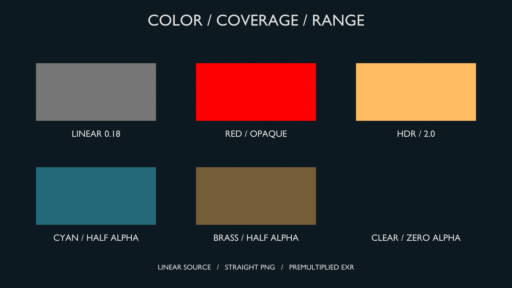
Color-accurate render
Keep transparency and highlight rangeOne native chart produces a straight-alpha PNG and a linear, premultiplied EXR. Measured patches distinguish display color, transparency and values above the SDR range. This preview composites the PNG over a dark background.
Download this example
Requires: Blender 5.2.1 LTS on CPU, Bun, FFmpeg and Python 3; the reproduction helper needs a source checkout. Local rendering; no model account.
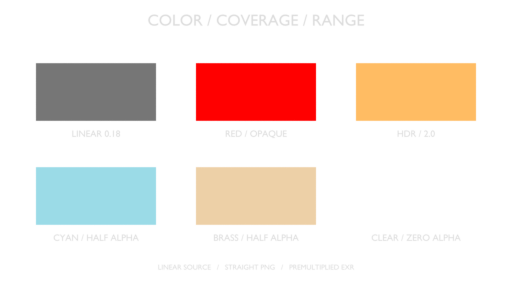
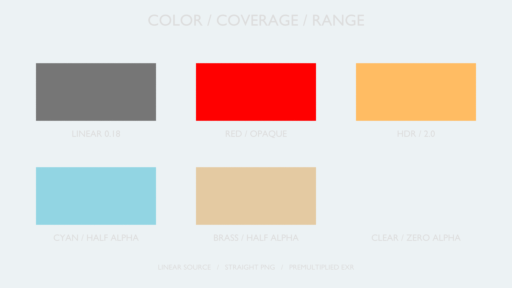
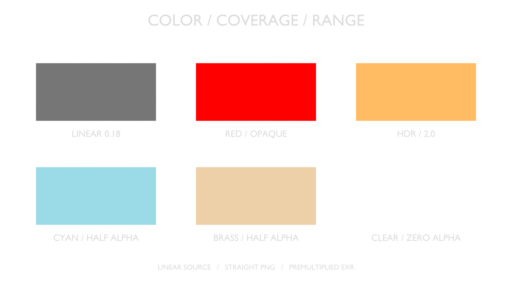
Straight alpha stores the color separately from its coverage. Premultiplied alpha stores color multiplied by coverage. The two half-transparent patches measured alpha 0.5 in the EXR; the PNG measured 0.50000763 after 16-bit quantization. The HDR patch retained linear EXR RGBA [2, 0.5, 0.125, 1], while its display PNG clipped the red channel to 1.
The source includes a qualifier that reads the saved pixels, checks 26 numerical conditions and makes dark and light composites for edge inspection. The dark composite above is an SDR presentation image. The downloadable EXR preview uses an explicit SDR conversion; neither preview displays the master's HDR range or promises identical appearance between the two encodings.
Use the source recipe to prepare a fresh job, run it with Blender 5.2.1 on CPU, and check its actual PNG and EXR files. It keeps both masters and the native scene. The light composite is a diagnostic for transparent edges; its pale labels have limited contrast.
Change the CAD dimensions
Parametric CAD
One bracket, two dimensionsA CadQuery parameter change widens the mounting bracket while preserving its holes and pad. Both generated solids become exact GLB inputs to the Blender presentation.
6s · Silent
Follow the guideView sourceOpen video
Requirements
Requires: Slopcamera 3.2.8 or later and Blender 5.2.1 LTS, CadQuery 2.8.0 and Python 3.12; reproduction helper needs a source checkout. Local rendering; no model account.
The gold bracket is 100 mm wide; its teal variation is 132 mm wide. Both preserve the mounting holes, central aperture and isolation pad. The CadQuery source and variation helper retain the solids and measure their dimensions before the exact GLB exports enter a Blender presentation. The STEP reimport preserves two valid solids, with relative volume error below 0.00001.
Start with bun examples/showcase/native/render.ts cad --python /absolute/path/to/python, then run bun examples/showcase/native/cad-variations.ts --python /absolute/path/to/python. Probe and run the resulting artifacts/showcase/native/cad/preview.job.json with your Blender binary, as described in the native reproduction guide. STEP retains millimeter solid geometry; the GLB presentation uses meters. The film demonstrates the parameter change, not structural or manufacturing validation.
Import model
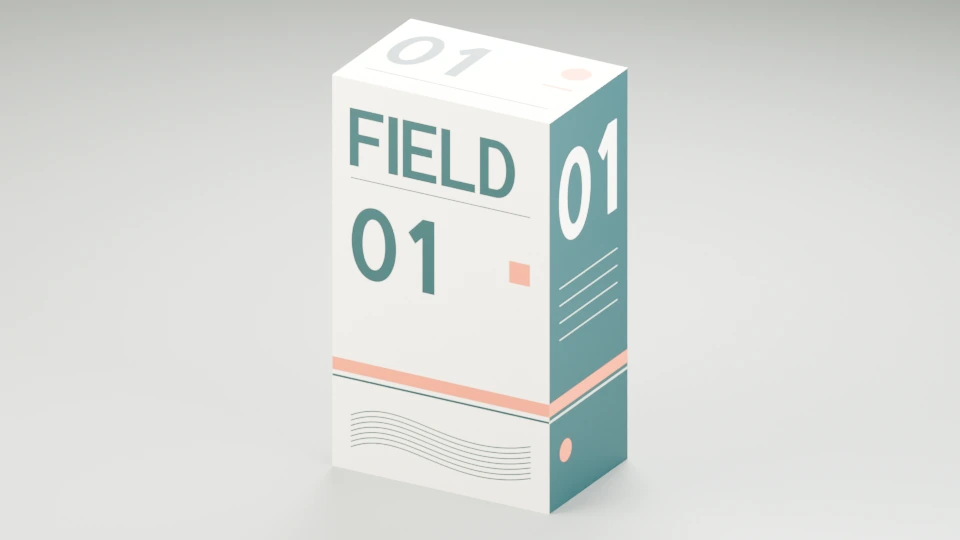
Bring an existing textured GLB into Blender, light it, and render views of the same model. This original packaging mockup keeps its FIELD / 01 artwork and 70 × 45 × 120 mm dimensions after import.
GLB import
Import a textured packaging mockupAn original GLB keeps its FIELD / 01 artwork, measured 70 × 45 × 120 mm dimensions and stripe across the front/right seam when staged in Blender.
Download this example
Requires: Source checkout and Bun 1.3.14; installed Blender 5.2.1 LTS, Cycles CPU. Qualified on macOS arm64. Local rendering; no model account.
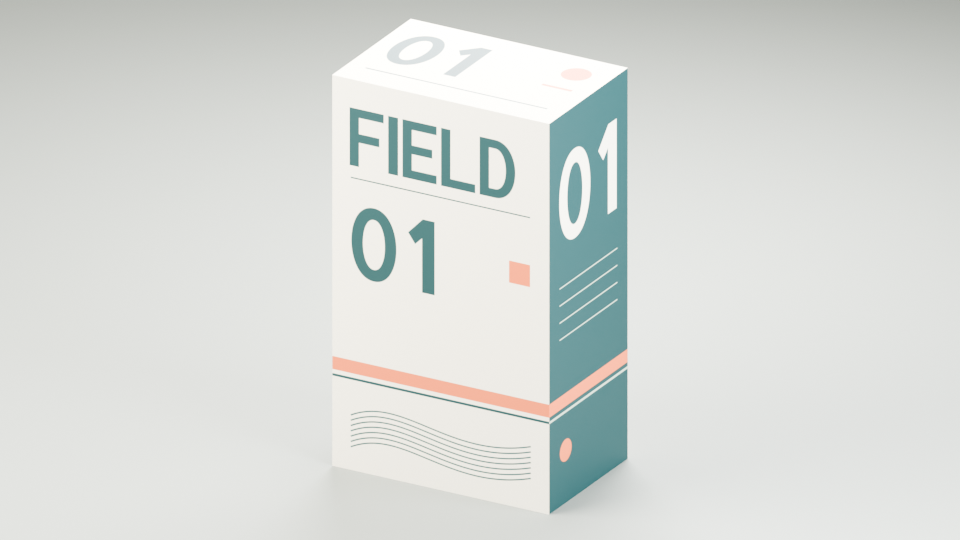
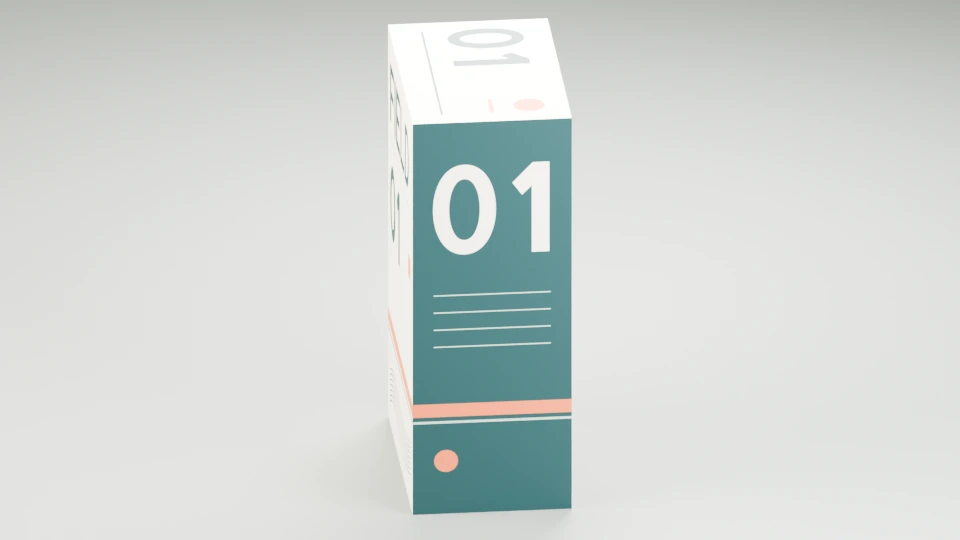
The peach stripe crosses the front/right seam. Turn the model to inspect the side panel and asymmetric top mark; the mesh and UV map stay the same.
GLB import
Turn the model, keep the artworkA second view exposes the side panel and top mark without rebuilding the imported mesh or changing its UV map.
Download this example
Requires: Source checkout and Bun 1.3.14; installed Blender 5.2.1 LTS, Cycles CPU. Qualified on macOS arm64. Local rendering; no model account.
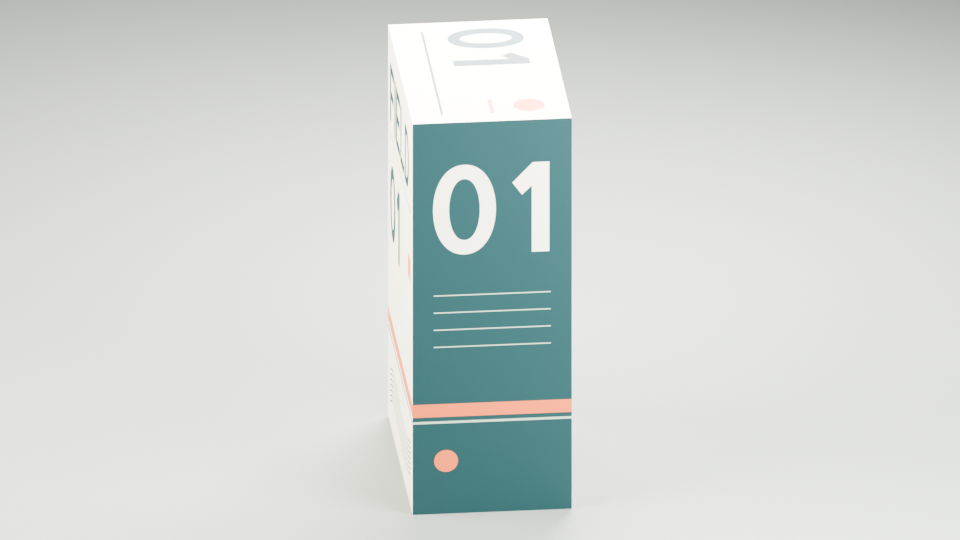
The source recipe includes the owned GLB, its 2048 × 2048 texture, and the Blender setup. In a source checkout with Bun, check the recipe, then prepare a fresh job:
bun examples/showcase/native/imported-model-study/prepare.ts --check
bun examples/showcase/native/imported-model-study/prepare.ts
The preparer prints the commands to bundle, plan, probe, run, and inspect the job with your explicit Blender executable. Rendering requires --allow-trusted-code. It produces three discrete 960 × 540 stills using Cycles on CPU at 128 samples with denoising and AgX. These poses are not an animation.
Reopen the packed scene
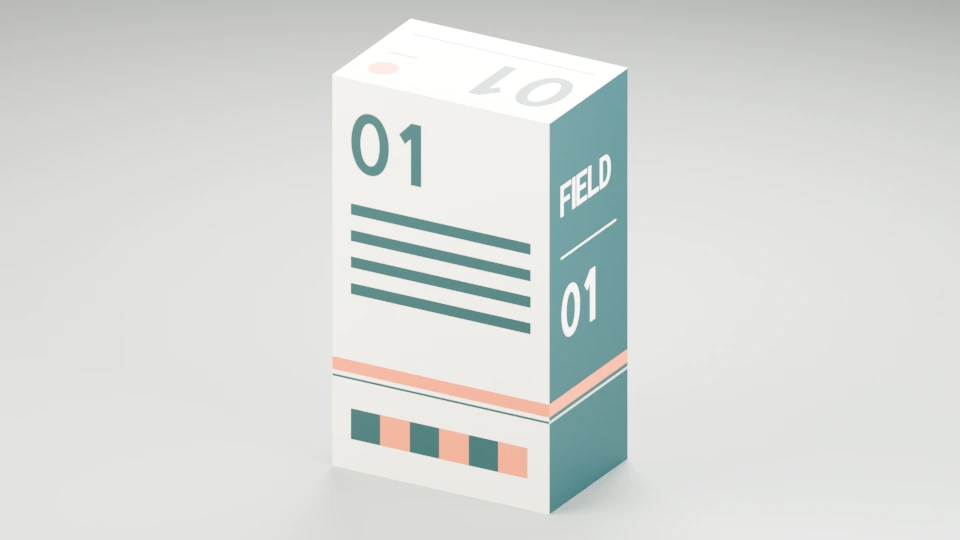
GLB import
Reopen the packed native sceneThe back bars, bottom checker and neighboring FIELD face remain distinct. All three packed-scene replay images matched the original decoded RGB pixels on the qualified runtime.
Download this example
Requires: Source checkout and Bun 1.3.14; installed Blender 5.2.1 LTS, Cycles CPU. Qualified on macOS arm64. Local rendering; no model account.
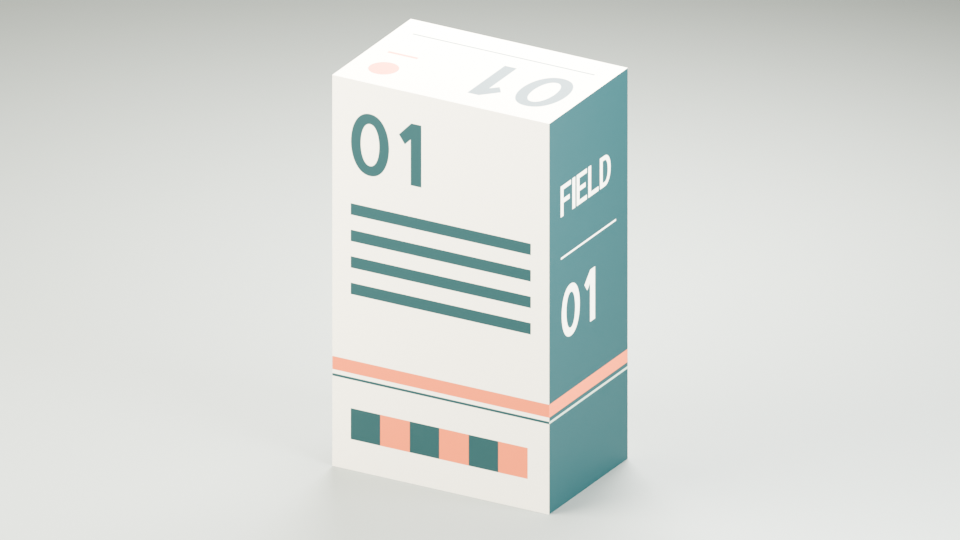
The replay helper retains only the resulting .blend as its render input. On the qualified Blender 5.2.1 runtime, all three reopened views matched the original decoded RGB pixels exactly. A separate inspection confirmed the packed texture, all 24 face-local vertices and 12 triangles, with zero measured position, normal, or UV corner error against this source and no external asset dependencies.
Use this workflow to check a static textured model you own. This example does not establish rig, morph, animation, or material-extension compatibility for other GLB files. The source README describes the replay and inspection commands and their measured tolerances.
Acquire and admit external assets
The supported Poly Haven adapter searches and imports free HDRIs, selected PBR maps, and glTF model dependencies:
slopcamera studio assets search query.json --json
slopcamera studio assets describe dirty_football --json
slopcamera studio assets plan selection.json --json
slopcamera studio assets import asset-plan.json --json
A search input names provider: "poly-haven", a query, a type, and a limit; a selection chooses one asset, resolution, and file format. The plan retains author, license, API credit, catalog bytes, and the complete dependency list, and imports verify those bytes and retain SHA-256 identities under a default 50 MiB total download bound. Acquisition never executes an asset or inserts it into a native scene; include the returned source files explicitly in a studio bundle. Blender's native importers accept supplied GLB, glTF, OBJ, FBX, and other supported formats with all required textures, buffers, and animation files retained in the bundle.
Share assets and calibrated cameras
Keep each native source alongside its portable representations. Rendered derivatives are what cross renderer boundaries:
| Representation | Useful transfer | Boundary |
|---|---|---|
Native .blend, STEP, and caches | Edit or rerender in the originating tool | Rigs, solids, solvers, and procedural materials remain engine-specific |
| Portable GLB | Share measured geometry, supported base-color materials, and node TRS clips with Three | The static profile rejects skins and morph targets; v3.3.1 also includes a bounded rigged/morph profile with STEP/LINEAR clips. Native control rigs and IK stay engine-specific |
| sRGB PNG or retained RGB(A) video | Mount a diagram, avatar, generated shot, or GPU graphic on a world-space surface | Preserve pixel size, alpha, color interpretation, and the exact source clock |
| Splats | Film a captured appearance through the qualified Three and Spark profile | Capture does not establish collision geometry, relighting, or native mesh editability |
Admit an existing native output into a spatial scene with an explicit asset identity:
slopcamera studio asset studio_city --output-id city --asset-id asset_city --representation native --json
slopcamera studio asset studio_shot --output-id beauty --asset-id asset_reference --representation native --frame 1 --json
The result contains an asset, a binding, and a retained admission receipt. Add the asset to the spatial scene and supply the bindings array through slopcamera scene render --assets bindings.json; the binding selects the exact retained physical bytes. A sequence needs an exact --frame for image admission, and encoded-video admission requires one unambiguous completed studio encode derivative. See Render and edit Three.js 3D scenes for the scene side.
Export a calibrated camera for a native scene with slopcamera scene camera-track:
{"cameraId":"camera_hero","startUs":0,"frameRate":{"numerator":24,"denominator":1},"frameCount":480}
slopcamera scene camera-track scene.json --request sampling.json --output camera-track.json --json
The inert slopcamera.spatial-camera-track document pins the scene revision and carries ordered samples with frameIndex, integer timeUs, exact rational exactTimeUs, and the camera value; export at most 2,048 frames per chunk. Retain the JSON in the native source bundle and apply each sample explicitly at its associated native frame through SLOPCAMERA_APPLY_SPATIAL_CAMERA(camera, camera_object=None) in the fixed Blender driver, which converts canonical (x, y, z) to Blender (x, -z, y) and preserves the camera's local negative-Z direction. A supplied camera must have no parent, constraints, or animation owners, and the helper does not exchange depth of field, distortion, shutter, lighting, or color transforms. A matching projection does not imply identical materials or lighting between renderers.
Run a native job inside a workflow
The closed local operation is slopcamera.studio.run, exposed to declarative graphs as .studio.run() through @hraness/slopcamera/local/code. Inputs refer to the retained bundle manifest and a parsed studio job; outputs are hash-bound media references plus a studio receipt.
slopcamera code run film.ts --input input.json --studio-python /absolute/venv/bin/python --allow-trusted-code --json
slopcamera runs resume <run-id> --studio-python /absolute/venv/bin/python --allow-trusted-code --json
The same runtime and authorization flags are available on workflows run. Changing a runtime, source, or job after binding requires a compatible new plan. These durable workflow commands bind a build identity over the installed host source tree, so they require the Bun package or a checkout rather than a copied standalone executable; Run or recover a workflow covers resume semantics.
Inspect and recover
slopcamera studio inspect <studio-id> --json
slopcamera studio reconcile <studio-id> --json
Reconciliation restores a missing receipt only when a closed successful process completion and an unchanged output-validation checkpoint exist; earlier interrupted execution stays ambiguous and is never automatically resubmitted. The supervisor bounds combined logs, the job deadline, and termination grace, retains failure evidence, and tracks native process groups. A machine-wide durable activity marker survives CLI death, and unresolved custody blocks later native dispatch: inspect and resolve the actual process ownership rather than deleting the marker. Choose a new job ID for an explicitly revised attempt after custody settles.
For a Manim-led lesson with narration and captions, see Make a math explainer video with Manim.